
At Premaccess, we are increasingly approached by companies wishing to migrate their on-premise infrastructure and applications to the Cloud. To help them, and to help you understand what is at stake in this project, which is necessary to boost a business, we offer a focus on 3 essential points:
Looking for a partner to run the project? Our cloud migration offer details the method, the paths and the funding available.
Table of contents
- Definition: what is migration to the Cloud?
- What are the benefits of migrating to the Cloud?
- How do you carry out a Cloud migration?
Definition: what is migration to the Cloud?
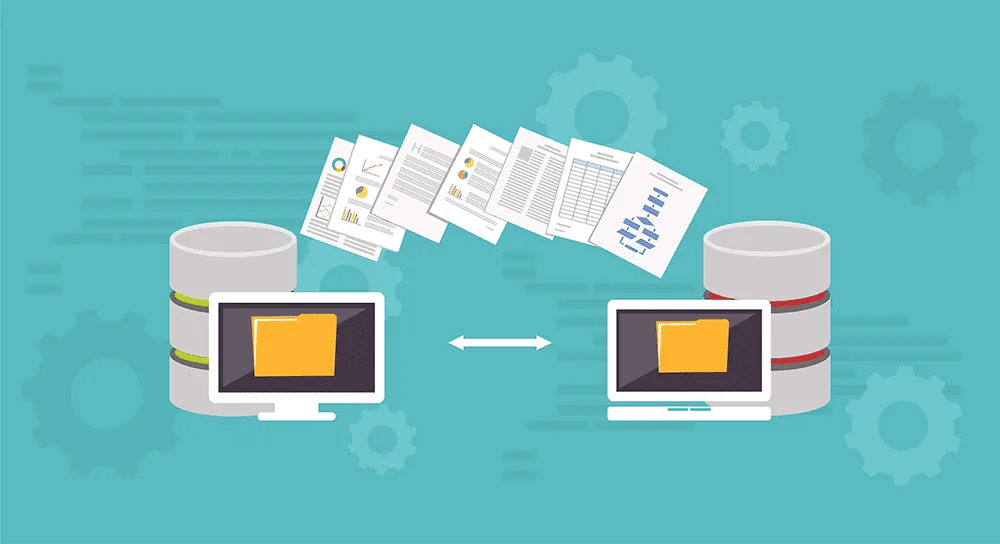
On-premise to Cloud migration consists in moving your digital assets (data, applications, workloads, business components) from on-site infrastructure to the Cloud.
“On premise” means that you use physical servers and software on which you run your databases, your applications and your workloads.
By “Cloud”, we mean all the services (both the underlying hardware and the software to run your services) made available to you over the Internet by Cloud service providers (AWS, Google Cloud Platform, Azure for example).
During a migration to the Cloud, a change of paradigm takes place: you are no longer in control of the underlying technology stack, you entrust it to a third party.
What are the benefits of migrating to the Cloud?
These benefits are numerous. Here are the 4 main ones:
Elasticity: Public Cloud providers allow you to scale up your computing, memory and storage resources quickly according to your needs. This is what is called autoscaling.
Transparent cost of services: Your organisation pays only for the resources actually used: computing, network, storage. It can therefore plan costs according to the growth of the business and the needs of your clients.
Fault tolerance, reliability and resilience: Cloud infrastructure is built with state-of-the-art technology. If a physical machine dies, another one replaces it without affecting your operations. Public Cloud providers plan for the worst. They have several data centres around the world intended to reduce the adverse effects of possible failures on your technical platform.
Agility and flexibility: The Cloud is accessible from anywhere in the world. You therefore benefit from an unlimited ability to distribute your services as close as possible to your clients.

Any migration calls for organisation and thought, because it touches the very heart of your company. For such a project, we strongly advise you to surround yourself with a partner of choice such as Premaccess.
However, to give you an overview of the work to be carried out during a migration, here are the key steps on which your company will be called upon.
Contact us
Key step 1: Appoint a lead for your migration
Before starting your migration to the Cloud, appoint an architect to lead this project. The architect is a system-architect-level position, responsible for planning and delivering every aspect of the migration. Among other things, they will have to define the migration and deployment strategies, determine the priorities and the mechanisms for switching over to production.
In the course of a large migration project, many technical plans have to be drawn up. Having an architect responsible for all these aspects is a priority for a successful project.
Key step 2: Define a migration strategy for your applications
Several migration methods are possible. You will adopt one of them according to your level of Cloud maturity and to the involvement you wish to put into it.
Each of them:
- will take you more or less time,
- will generate a cost when it is put in place,
- will or will not allow you to optimise your budgets over the medium and long term.
Method 1. “Lift and shift”
Consists in migrating an application from one environment to another without carrying out any redesign or code modification. This method is the most widely used today. It is simple and quick to carry out. That said, “lift and shift” migrations do not benefit from native Cloud features such as elasticity.This method can prove costly over the medium and long term.
Method 2. “Replatforming”
Aims to move your applications to the Cloud with a small upgrade, by using a Cloud-managed database offering or by adding auto-scaling (elasticity of certain applications) enabled by automation. This approach offers a solid compromise between “lift and shift” and “refactoring”. It makes it possible to take advantage of the basic Cloud features and to optimise costs, without committing a high level of resources.
Method 3. “Refactoring”
Involves a more advanced process, requiring you to rethink the architecture and the code of your existing applications in order to optimise native Cloud features. This approach is the longest to put in place. But it will allow you to reduce the cost of using Cloud services immediately.It will also bring you flexibility and faster access to the new innovative services provided by Cloud Providers, such as Artificial Intelligence, Machine Learning or the Internet of Things.
Key step 3: Choose a single Cloud or opt for multicloud
At the start of this project, you will have to choose between one or several Cloud providers. Do you want to migrate your applications so that they run in an optimised way on a single environment, or on several Cloud providers?
If you would like advice on this subject, contact us!
Key step 4: Create a data migration plan
Data migration is one of the most delicate steps.
The location of your data can have a significant impact on the performance of your application, here you have to choose the target Cloud provider’s services carefully according to the different types of data (media, code, applications, logs and databases).
Examples – Data migration options:
- Using a two-way synchronisation mechanism between your on-site databases and the Cloud. Once you have finished your migration to the Cloud, you will be able to delete them on site.
For an on-site database where only one-way synchronisation is possible, we suggest you use DMS-type services to send the data to your new Cloud-based database server.
When you are ready, disable your applications’ access to the on-site version so that the Cloud-based version becomes the main database.
For the migration of other data, we advise you to use another type of data migration service, such as those available from Amazon Web Services:
- AWS Migration Hub
- AWS Storage Gateway
- AWS Direct Connect
- AWS Data Pipeline or Data Brew
- Amazon S3… etc
Do not underestimate the complexity and the importance of planning the data migration.
Failing to pay particular attention to your data migration plan before starting a move to the Cloud can lead to the failure of your project.
Your migration architect must be closely involved in this planning process. You can entrust this to a partner such as Premaccess.

Key step 5: Switch production over
Before migrating your applications to the Cloud, it is recommended that you put a cutover strategy in place.
Objective: minimise downtime when moving from one environment to another.
We present the two main ones here:
The “Big Bang”
As its name suggests, the “big bang” method migrates entire and/or large parts of your platform in one go. This method generally causes production outages that have to be calculated on the basis of long iteration cycles and dry runs in order to minimise the impact and the interruption of your services.
Assuming a minimal risk of failures, rollbacks may be impossible or impractical.
As a result, the “Big Bang” method is not suitable for all types of applications. A choice has to be made between strategic realities and technical possibilities.
The progressive cutover
The progressive cutover is preferable in certain cases. It minimises or even eliminates downtime when switching your production over. This method will allow you to roll back more easily, without an outage. However, this method cannot be used for all the technologies available on the market.
Conclusion
These are the 5 main steps in a migration to the Cloud. To these are added, of course, the best practices in terms of security and the waves of tests to be carried out to make sure that everything works properly.
Finally, one last tip: we are sharing Cloud migration tools with you here. Each Cloud provider offers several tools and services to make your migrations easier.
AWS presents several of them in the link below. Feel free to consult it: https://docs.aws.amazon.com/whitepapers/latest/aws-overview/migration-services.html?opt_id=undefined
As you will have understood: an on-premise to Cloud migration project cannot be improvised! It calls for thought, organisation and methodology.
If you wish to start such a project, do not hesitate to get in touch with us here. Our teams will advise you and support you step by step on this demanding project, which may seem complex.
Contact us